


NBA: Live Games & Scores review
 Analysis by GetAllApps
I like the official NBA app most when I want to keep up with basketball without piecing together scores, clips, and league coverage from several places. It is a free sports app from NBA Properties, Inc., and its focus is firmly on the NBA rather than sports in general. I’d recommend it to someone who follows teams or players throughout a season and wants a convenient place to check in. I would not treat it as an automatic replacement for every broadcaster or sports news app, though: what you get from it depends on whether you want quick updates or a deeper, more complete viewing experience.
What the free download offers—and what costs extra
The app is free to download, which makes trying it an easy decision for curious fans. That does not mean every purchase is free: in-app items range from $0.99 to $399.99 each. I’d separate those two facts when deciding whether it suits you. You can start with the no-cost app, then consider a purchase only if you understand what that particular item offers and know you’ll use it.
I wouldn’t assume that paying is necessary just to open the app or follow the league in some way. Equally, I wouldn’t assume the free download includes every kind of access a fan might expect. The sensible approach is to install it, explore the available content, and check the details of any purchase before committing. The wide range of item prices makes that last step especially worthwhile; the price alone doesn’t tell you which content is included or whether it fits your needs.
For context, the app has a 4.6 average from around 251,000 ratings, and it has passed 50 million installs. Those figures suggest that it has broad appeal among basketball fans, but they don’t guarantee that a particular feature, purchase, or viewing arrangement will suit you. It is rated for Everyone, and the app’s sports focus is clear from the moment you open it.
How it earns a place in a fan’s routine
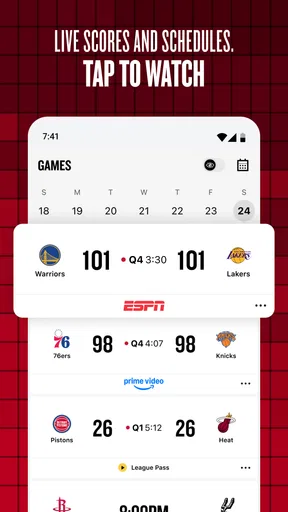
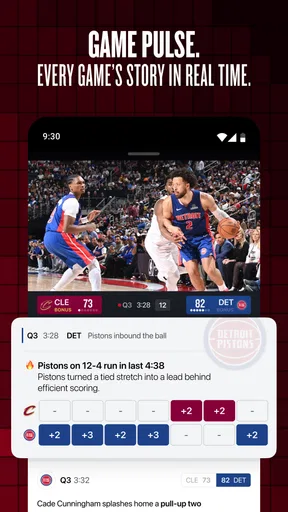
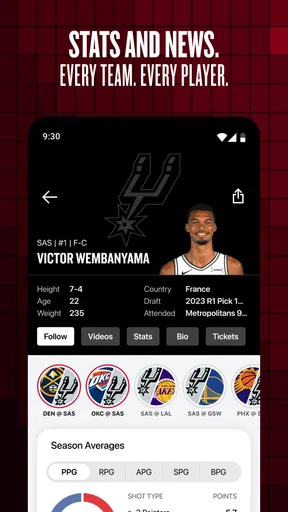
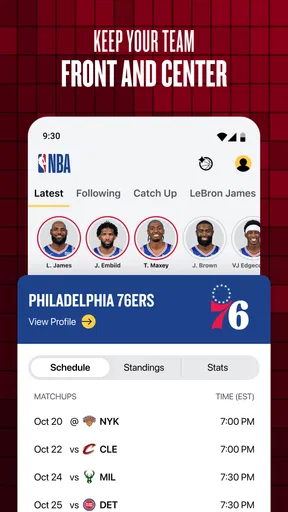
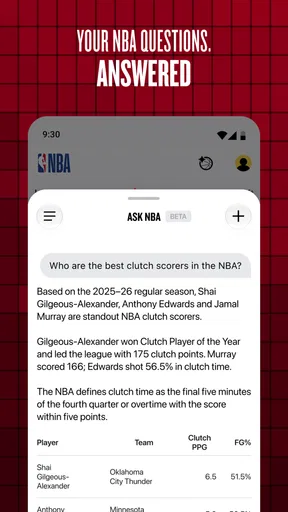
The strongest case for NBA: Live Games & Scores is the way it brings together several reasons fans check their phones during the season: game information, statistics, highlight clips, and studio coverage. That mix is more useful than a bare scoreboard when I have a few minutes to spare. A score tells me what happened; a clip can show the play that changed the feel of a game, while statistics give me a quick way to put the result in context.
That combination also makes the app handy at different levels of attention. If I’m only checking whether a game is close, I can focus on the score and move on. If a surprising result catches my eye, highlights offer a faster way to see why it happened than searching separately for a clip. When I want discussion rather than a single play, studio coverage gives the app another purpose beyond checking numbers.
A realistic use case is following a team during a busy evening when I can’t sit down for a full game. I might check the score between errands, glance at the statistics after the final buzzer, and watch highlights later to see the key moments. In that situation, having these kinds of NBA content together is more convenient than switching among a general sports results app, a video platform, and league commentary. It doesn’t turn a short check-in into a full live broadcast, but it can make that check-in much more informative.
One useful habit is to decide what question you’re opening the app to answer. For a quick score check, avoid getting pulled into a long browse through clips or coverage. For a postgame recap, start with the result, use the statistics to spot what stands out, and then look for a highlight that explains it. That sequence helps the different content types complement one another instead of feeling like a pile of unrelated updates.
Another practical trade-off is that highlights reward selective viewing. They are good for catching a memorable play or getting a sense of a game’s major moments, but a highlight package naturally leaves out the stretches between them. If I’m trying to understand a close finish, I’d use clips as a recap, not as proof of how the entire game unfolded. For deeper analysis, statistics and fuller coverage matter more than a handful of exciting possessions.
Where the experience has limits
The app’s focus is also its main limitation. If you follow several sports and want one place for results across all of them, a broad sports app may fit your daily routine better. This is a basketball-first choice, and its value is highest when NBA games are something you actively follow. A casual viewer who only wants an occasional headline may not need a dedicated league app at all.
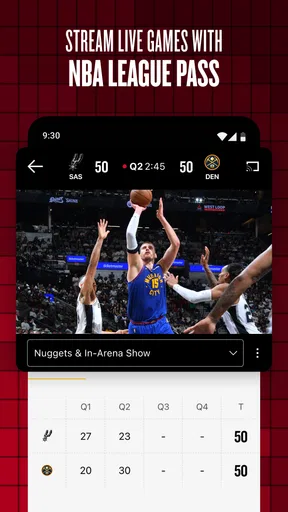
There is also a difference between following a game and watching one. Scores, statistics, highlights, and studio coverage can keep me connected, but a fan looking for uninterrupted live viewing should check exactly what access is available before relying on the app for that purpose. I would not make a purchase based on the general promise of NBA content alone. Read the item description carefully and decide whether it delivers the particular kind of access you want.
For users who prefer a lean, fast score tracker, the app’s range of content may feel like more than they need. A simpler scoreboard can be a better fit if the only goal is to see a result and close the app. On the other hand, a general sports news service may cover more leagues but provide less of the NBA-specific combination of clips, stats, and studio material that makes this app appealing.
Purchases deserve the most deliberate attention. The app is free to begin with, but optional items can be much more expensive than a casual impulse buy. I’d check the exact item, its price, and what it provides before confirming anything, especially if I’m installing the app just to follow scores. The presence of in-app purchases does not by itself tell me that I need one; it simply means I should distinguish free use from paid access rather than treating them as the same thing.
One further point: a high rating is a useful sign of general satisfaction, not a guarantee that every fan will like the same parts of the experience. Someone who wants highlights and league-focused coverage may be delighted, while someone who mainly wants a low-distraction scoreboard could prefer another option. I’d judge it by the role I want it to play, not by popularity alone.
Who will get the most from it
I think this is a strong fit for regular NBA followers who want more than a final score but don’t always have time to watch a game from start to finish. It also suits fans who like to follow a team’s results and then use clips and statistics to catch up. If you’re a newer fan, the combination can help you move from simply seeing who won to noticing the plays and numbers that shaped the game.
It is less compelling for someone who rarely watches basketball, needs coverage across many sports, or expects a free download to guarantee every viewing option. In those cases, I’d start with a general sports service or a straightforward results app, depending on whether breadth or speed matters more. If your main requirement is full live-game access, check the app’s current purchase details first and compare them with the viewing options you already use.
The app’s scale reinforces that it is a well-established choice: it has more than 50 million installs and around 8,200 written reviews, alongside its large pool of ratings. NBA Properties, Inc. is the developer, and the app was released on October 27, 2020. Those details help identify the official league app, but the everyday decision is still about fit: do you want a focused NBA companion, or just a quick place to look up a score?
My buy-or-skip verdict
I’d install NBA: Live Games & Scores if NBA basketball is part of my regular routine and I want scores, stats, highlights, and studio coverage gathered in one league-focused app. Starting for free makes it easy to see whether that mix works for me. I’d hold off on any paid item until I had checked its exact contents and decided it solves a specific need.
I’d skip it if I only need occasional results, want one app for many sports, or expect highlights to substitute for watching a complete game. For the right fan, the value is the convenient connection between a result, its numbers, and the moments worth seeing. For everyone else, a simpler or broader alternative may be a better use of attention—and there is no reason to pay for access before knowing what you actually want from it.
Pros and cons
Pros
- Live scores make it easy to follow games as they happen.
- Game alerts help you keep track of teams and matchups.
- Schedules show upcoming games across the NBA season.
- Team pages bring standings and roster details together.
- Highlights offer quick recaps of key plays.
Cons
- Some features may require signing in to an NBA account.
- Live video availability can vary by location.
- Notifications may feel frequent during busy game nights.
- Streaming access may require a paid subscription.
- The app can use significant mobile data during video playback.


